I recently became aware of some work that members of the Glean team were doing integrating the Glean Assistant (Chat) into Google Sheets to create a =Glean() function with App Script. I asked and got access to the files and because APIs and App Script can be a little scary for non-code users I worked to make it a bit more friendly. As we get into Agents I think this will evolve but it could be a good exercise to share, demonstrate and evolve the potential uses for AI function embedding within these types of tools. Google itself is set to release =AI() functions that leverage Gemini but we all know that the power is in what the AI has access to that determines if the responses are useful.
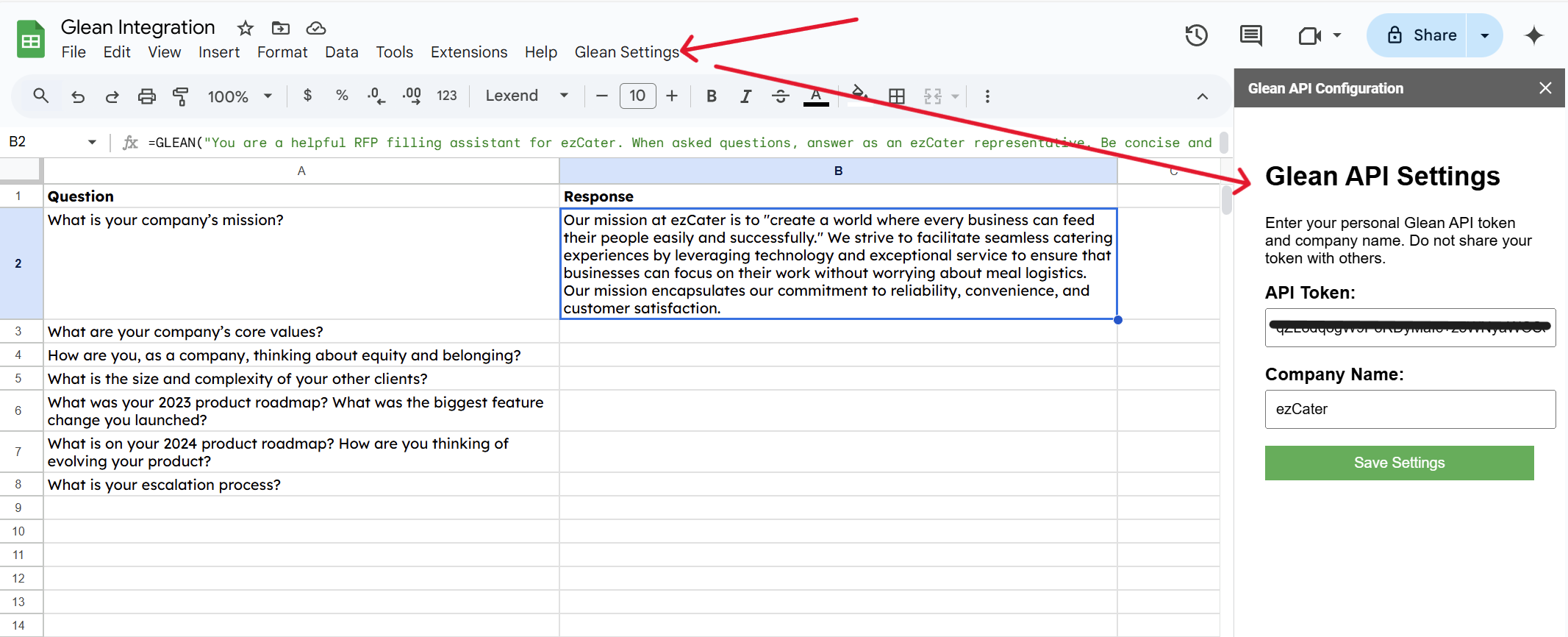
Mostly, the change involved adding a "Glean Settings" navigation element which opens a sidebar panel asking the user for the API Token and then the company name (which will power the custom url we all have [company]-be.glean.com/…
This keeps the user out of the App Script and the storage of these variables is not embedded in the script itself but in the user storage which should avoid file sharing exposing the users individual API Key.
Will over at Yahoo kindly took it for a test drive and built on the idea to add a third parameter (optional) to the function that will take an App ID. Including that will allow you to run your prompt against the Glean App of your choice and provide that specific answer.