Hello Glean Community,
I’m Ameya Ganpule, a Product Marketing Manager here at Glean. We recently attended Microsoft Ignite, and I wanted to share a demo Agent we built for the event to highlight how well Glean works with the Microsoft ecosystem.
We started with an Engineering workflow that would touch multiple applications, surface work from cross-functional teams, and could be easily automated with Glean. You can also check out the demo video at this link.
Fun fact - I created all of the synthetic data for the demo with Glean!
DevOps Engineer - From PRs to Polished Release Notes
In DevOps, it’s critical to stay on top of changes to the code repository and ensure quick reviews. Here, we ask Glean Assistant of any recent changes to the payment-service repo:
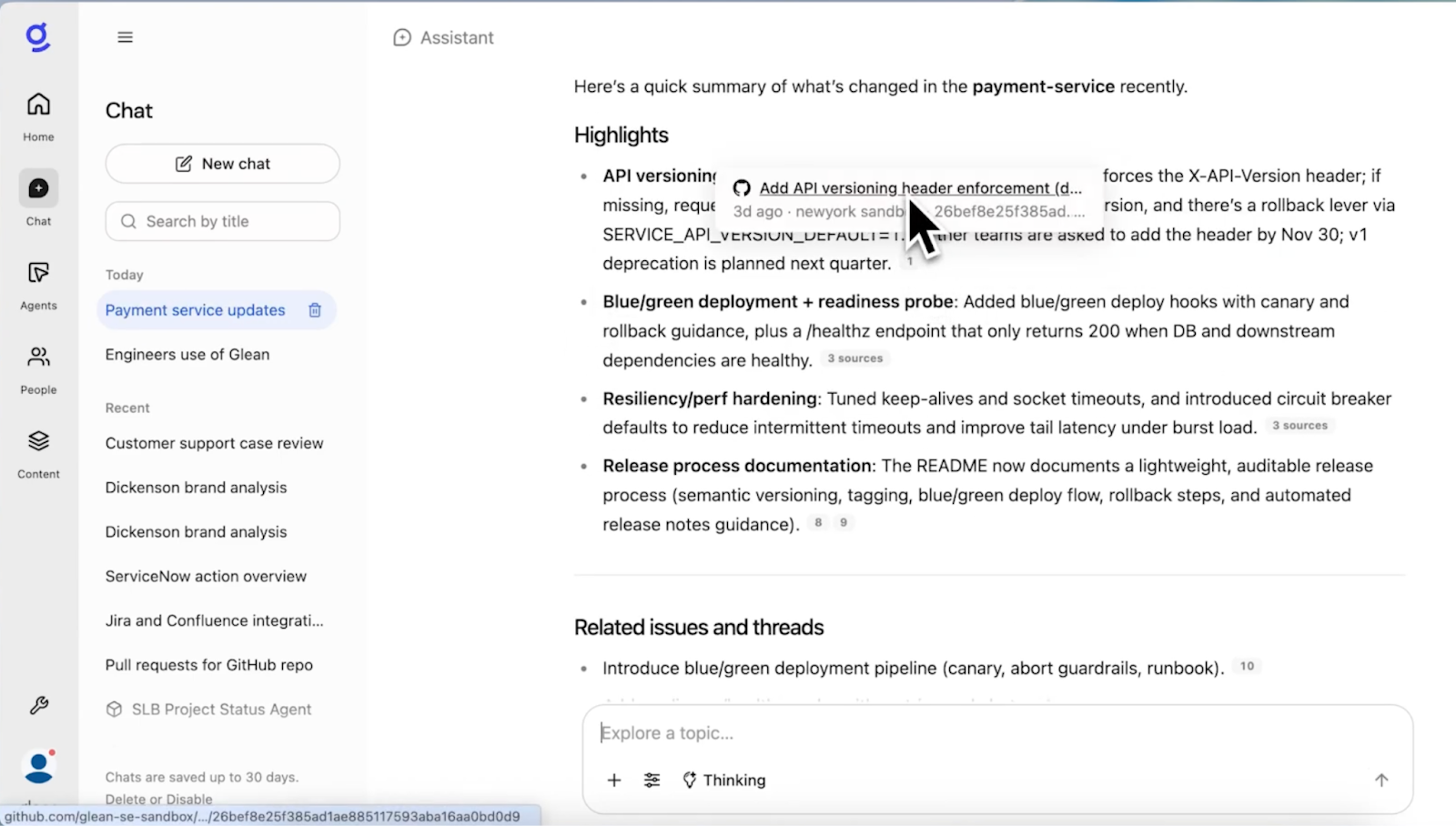
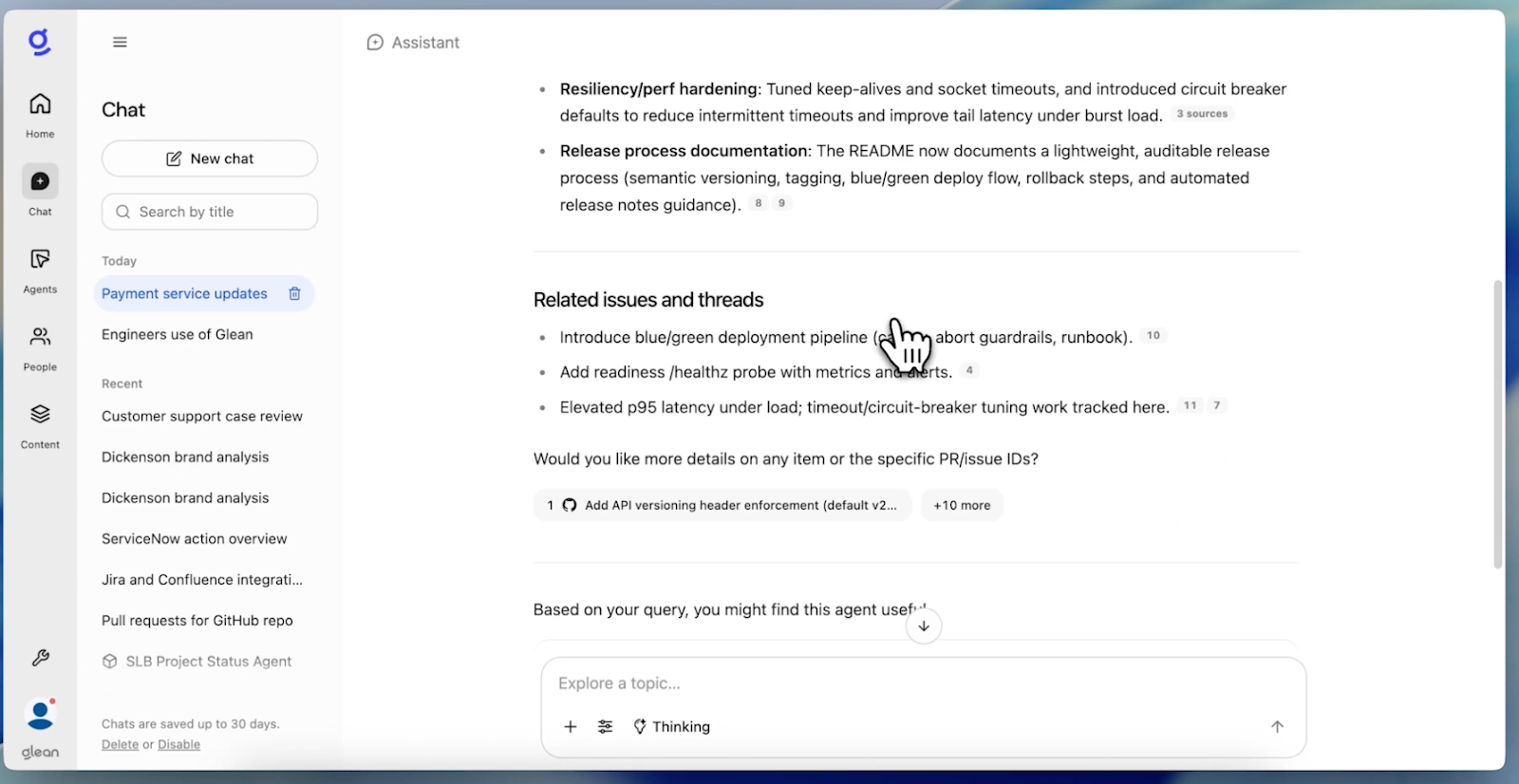
It returns associated GitHub PRs, along with a helpful nudge to review the Release process documentation in our SharePoint. More importantly, it highlights related Jira issues as well to make sure I’m capturing context outside of our core Microsoft applications:
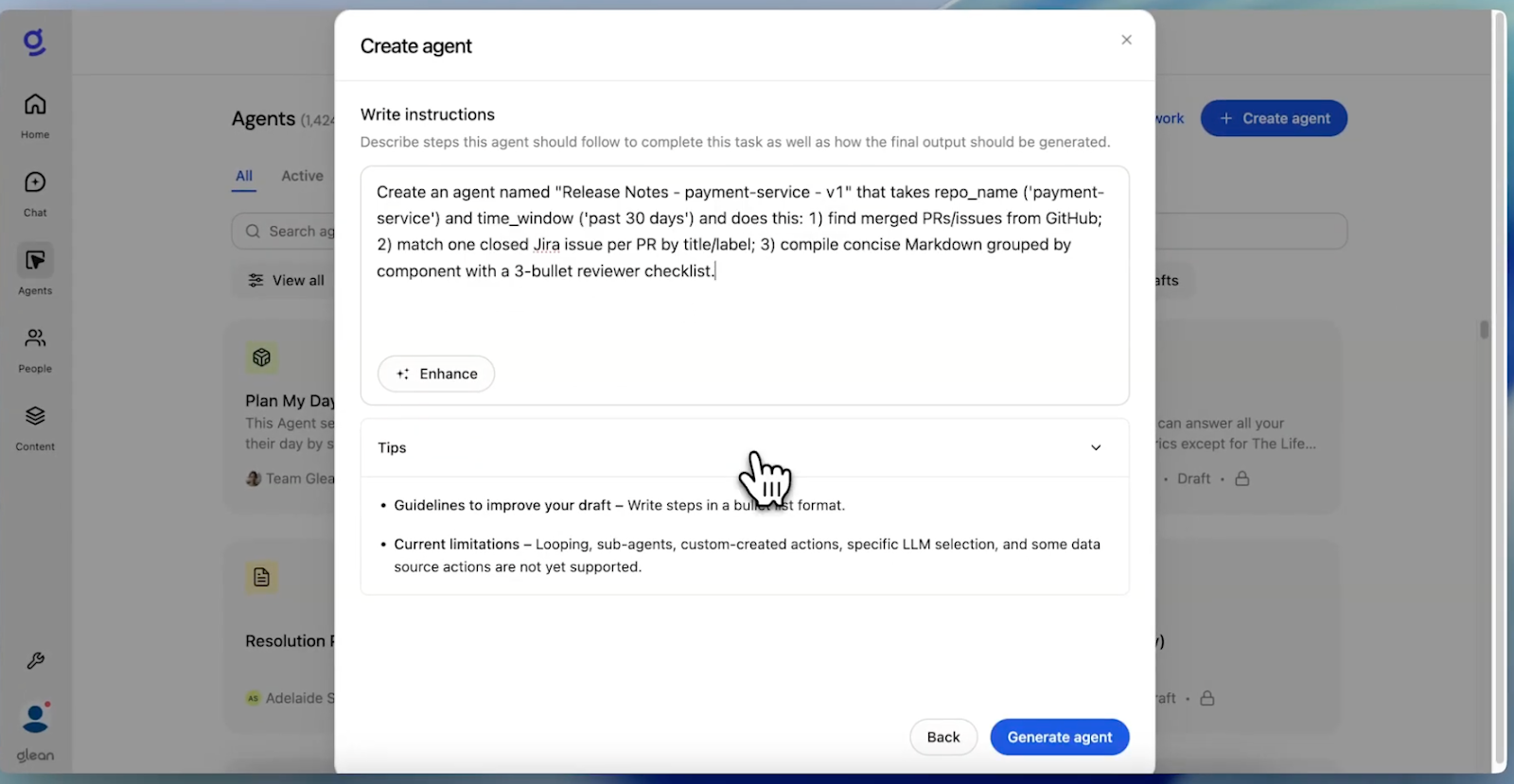
While Glean Assistant is fast enough, we wanted to show how easy it is to build Agents through natural language. I write a prompt that captures all the steps we’ve taken, and add an instruction for the Agent to create a reviewer checklist:
Once I’ve submitted the prompt to Generate Agent, Glean thinks through and organizes the necessary workflow. We can preview the Agent to make sure it’s output is what we wanted, and make any modifications instantly:
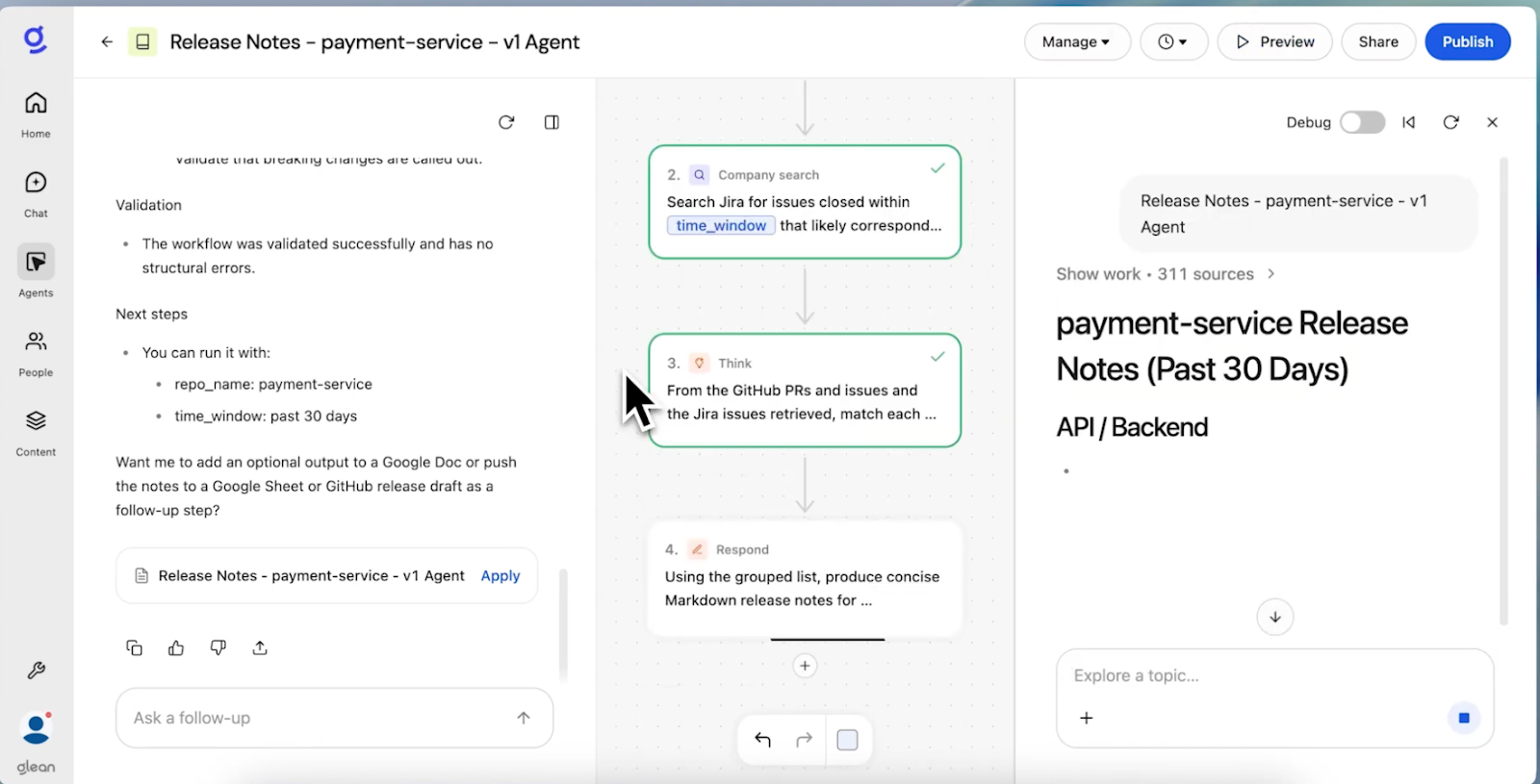
The Release Notes Agent pulls our merged PRs from GitHub and issues from Jira. With connectors enabled, it can also enrich each change with context from across our stack - like Salesforce, ServiceNow, and more. And by embedding the agent directly in Teams, it can take actions right where you work.
By reasoning over Microsoft and non-Microsoft sources, Glean can deliver single, comprehensive updates to engineering teams with context that captures all of the applications you use today.