Hello Glean Community,
I’m Ameya Ganpule, a Product Marketing Manager here at Glean. We recently attended Microsoft Ignite, and I wanted to share a demo Agent we built for the event to highlight how well Glean works with the Microsoft ecosystem.
We started with an IT workflow that would touch multiple applications, surface work from cross-functional teams, and could be easily automated with Glean. You can also check out the demo video at this link.
Fun fact - I created all of the synthetic data for the demo with Glean!
IT Service Desk Lead - Incident Post-Mortem: From Bridge to Doc in Minutes
For IT leaders, capturing lessons learned from critical incidents is important to improve future responses. Here, we ask Glean Assistant of any recent incidents we should catch up on:
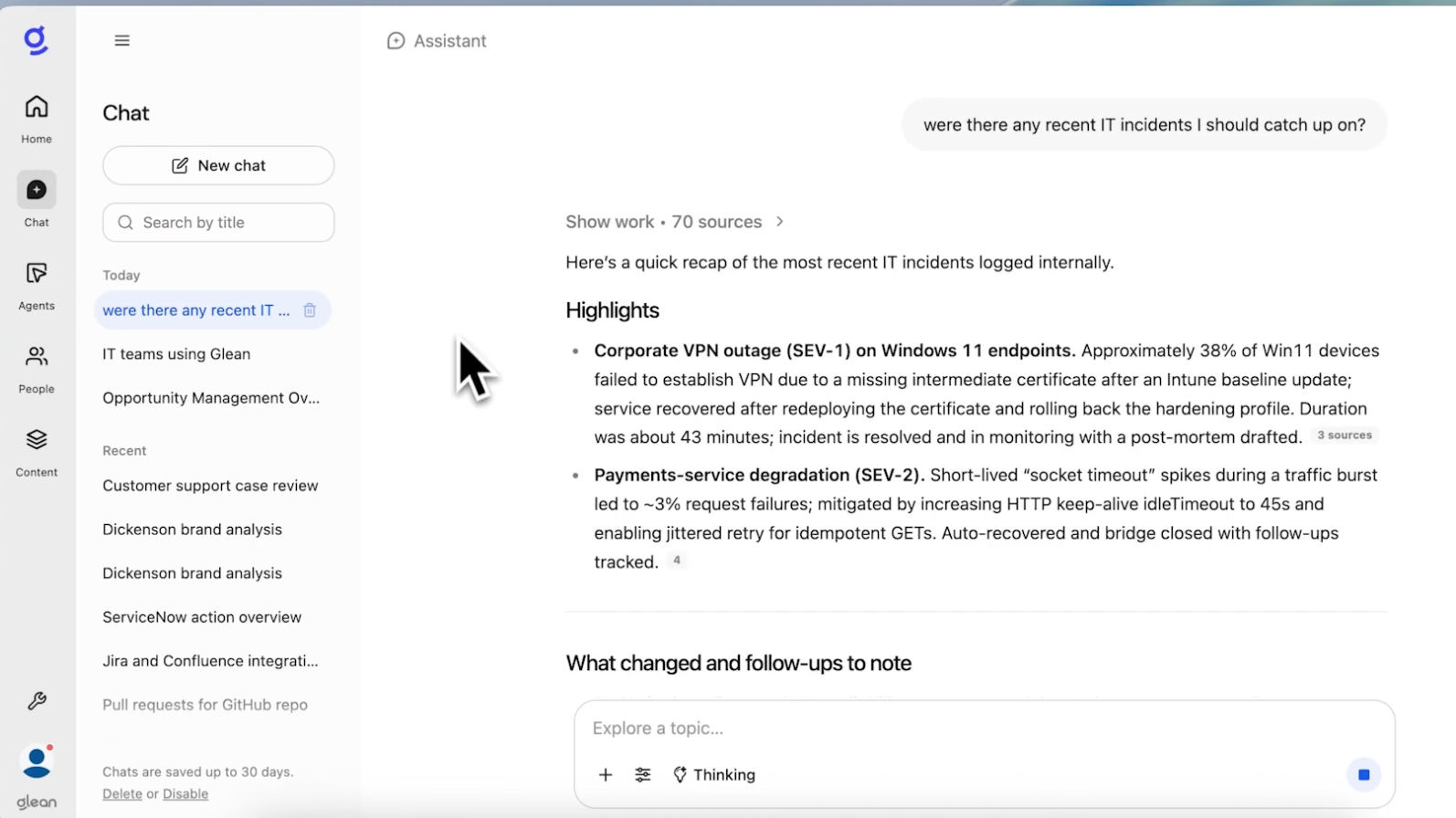
It lets me know about a major VPN outage recently, and references a Teams call transcript so I can quickly follow along with key decisions and action owners from the meeting. I want some best practices or guidance on mitigating VPN outages, so I ask Glean Assistant to surface any relevant documentation:
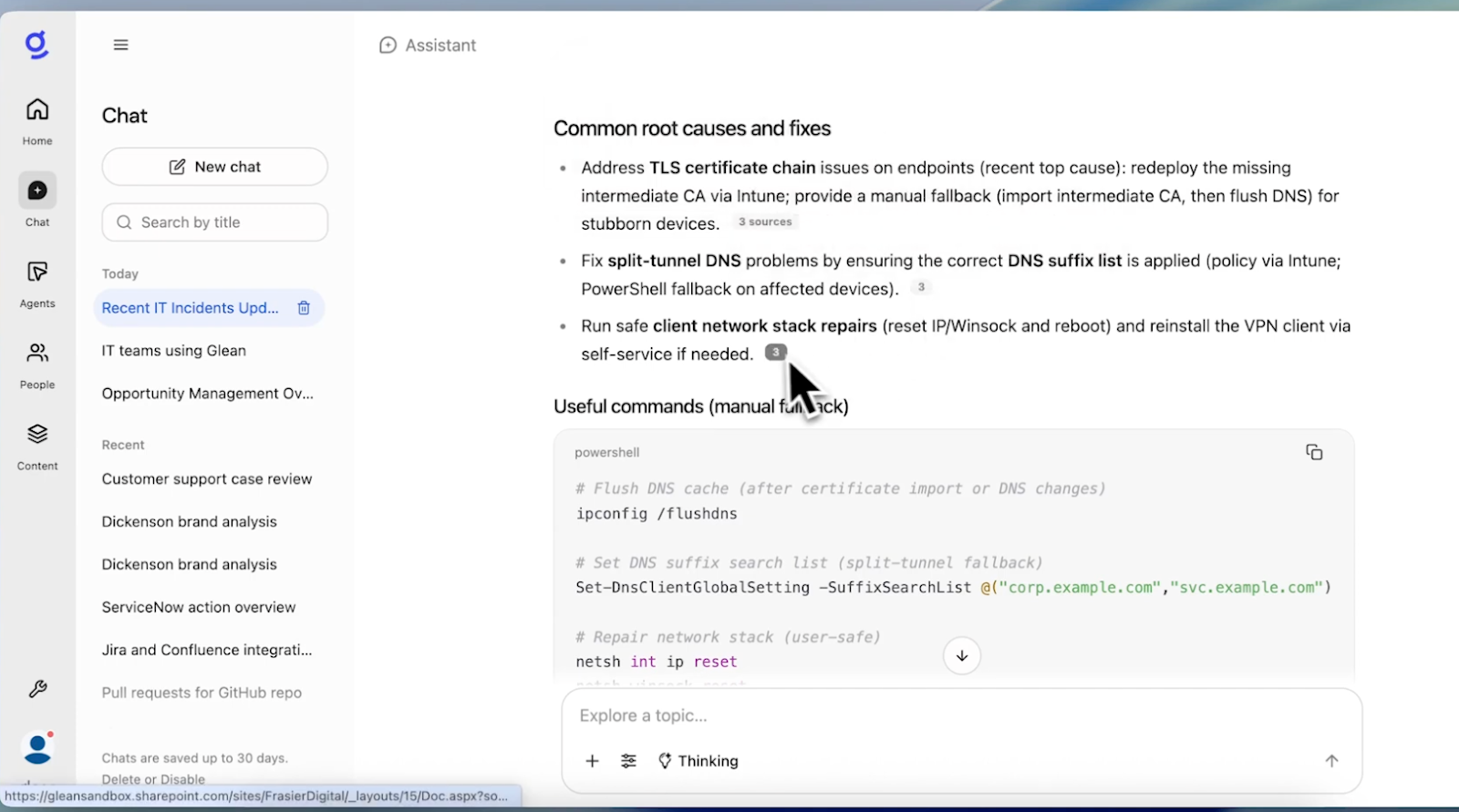
While Glean Assistant is fast enough, we wanted to show how easy it is to build Agents through natural language. I write a prompt that captures all the steps we’ve taken, and add an instruction for the Agent to create a 1-page post-mortem document:
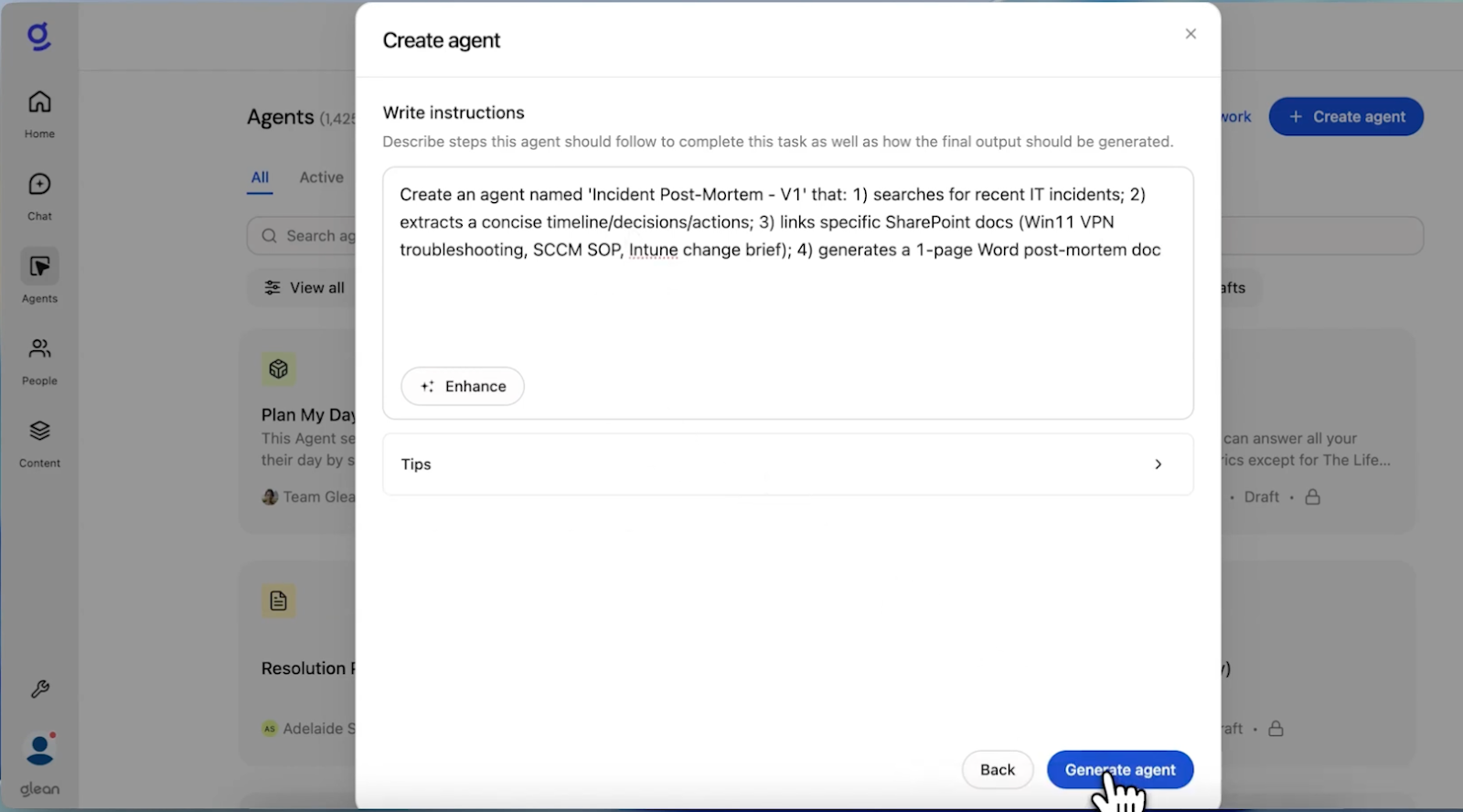
Once I’ve submitted the prompt to Generate Agent, Glean thinks through and organizes the necessary workflow. We can preview the Agent to make sure it’s output is what we wanted, and make any modifications instantly:
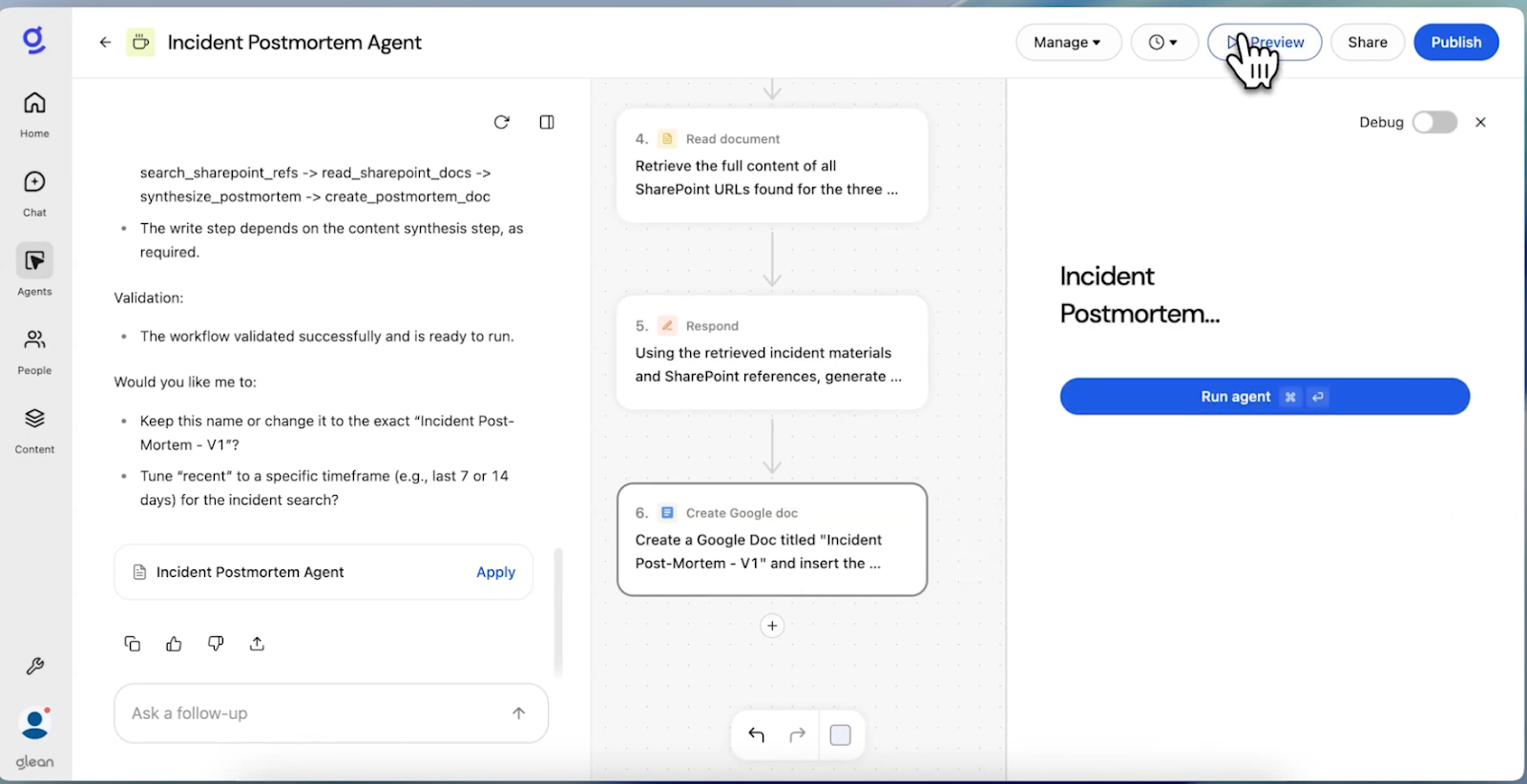
The Incident Post-Mortem Agent pulls up highlights from the bridge call, with owners clearly outlined and grounded in our runbooks. And by embedding the agent directly in Teams, it can take actions right where you work.
By reasoning over Microsoft and non-Microsoft sources, Glean can deliver single, comprehensive updates to IT teams with context that captures all of the applications you use today.